Making History Searchable: Discovering a Local Library’s Archive
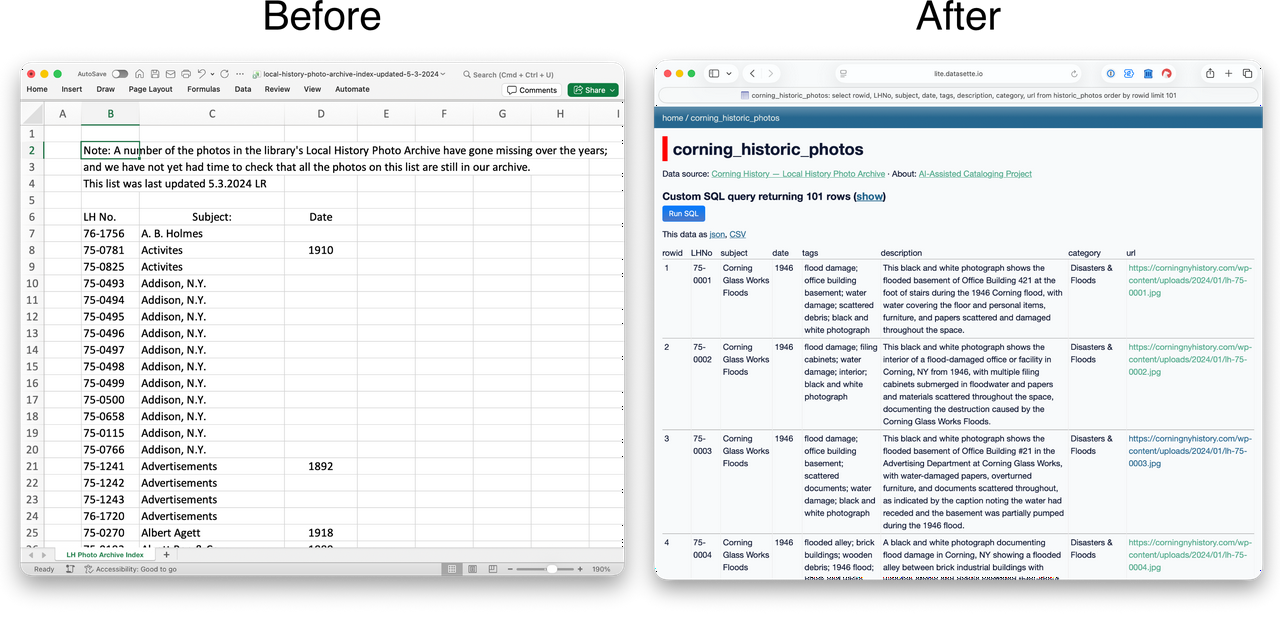
There is a lot of coverage from non-technical news outlets about how AI is bad for humanity. Concerns include outsized water and power consumption, the theft of intellectual property at scale, and the threat of misguided or ill-equipped AI making life and death decisions. While some of the concerns are overhyped and others represent real new challenges in governance, widespread negative portrayals make it too easy to dismiss this new collection of technologies. This story is an example of a low-cost, responsible, civic-minded, and exciting use of AI.
Background
I wasn’t looking for a new project in the digital humanities but as it turns out, a project was looking for me. Preceding my photo archive work described below, there were a series of serendipitous events that prepared me to execute on the project when the opportunity presented itself: my early experiments with multimodal AI models, my exposure to a specific programming podcast, and my cohabitation with a history enthusiast in a city of about 10,500 people.
For those who may not have read my earlier post regarding automated photo tagging, I recently tested Claude’s ability to generate tags for a few photos from a trip to New York’s Letchworth State Park and apply them in the exif content (the metadata embedded in image files) for each picture. From that experiment, I learned the AI models consumers have available to them today are more than adequate for evaluating photos and generating useful tags and descriptions.
A few weeks later, I encountered the term Digital Humanities in a Talk Python podcast episode titled Python in Digital Humanities. The concept was not new to me as I’ve been working with technology for more than 30 years but it was the first time I heard this term used for this kind of work. After being inspired to learn more about the subject and doing a little online research I was primed for what came next.
My partner is a huge history nerd and loves to read about all the places we’ve lived. We moved to upstate New York about a year ago and, true to form, she started sharing interesting facts about the area we had decided to call home. One of her discoveries was the Corning, NY photo archive. The archive is a collection of approximately 2,000 photographs taken over 130 years that documents major events like mobilization for World Wars and the impact of catastrophic floods as well as local events like parades and school graduations.
The library that posted the collection online had assigned catalog numbers to the photos, but the majority of the items were missing descriptions or keywords that would tell a researcher about a photo’s content without looking at the image. As a result, finding an image in their collection was difficult. The time-intensive process of writing descriptions by hand had not been done yet. This is the moment when everything clicked.
Having just completed a small photo tagging experiment of my own and learning about digital humanities, I wondered if I could apply what I had learned to this archive to make the collection more searchable. Several ideas tumbled around in my head for a few days before I decided to give it a shot.
The Process
I knew pretty quickly that I would first need to get a copy of the photos so I could work with them locally in an organized way. After that, I planned to do something similar to what I had done in my earlier experiment and ask Anthropic’s Claude to generate tags for each photo but instead of putting the tags in the exif data, I would instead write them to a .csv file (think spreadsheet data as plain text). After building out the new tags, I could simply validate the output and then hand the whole thing back to the library for its patrons to use. At the risk of spoiling the outcome, the path to the final product departed my original plan more than once but the final product was exceptionally more robust than what I had in mind at the start of this little adventure.
Fetching the Photos
Step one, getting the photos. I have done bulk internet downloads many times before in my life. In my early computing days, I would use a little shell script or something similar that incorporated wget to retrieve a list of items. As this project was meant to be an experiment for me, I wanted to try using Claude Code to build a python script that would fetch all the files intelligently. What I ended up with was a script that could download many files at once, politely, without hammering the server.
The provided script pretty much worked right out of the box and in just a few minutes I had a local copy of all the photos. Easy.
Batch Processing with AI
Drawing on my earlier experience with tagging photos, I assumed that I could modify my “exif prompt” to write a file instead of updating the exif content. Essentially, I would just cut out the exif request and instead describe the .csv file I would like Claude to create.
I kicked off the request and let the job churn. Pretty early on, the model declared that it needed to work in batches as the number of photos (1,900+) was too many to do at once. Claude gave me regular updates that I would periodically check while it did its thing, About an hour or so later, I had the .csv file I had requested.
I was patting myself on the back for being so clever when I started my quality checks. I took the random sampling approach with 20 images to start. The first 5 or so were perfect. When I opened the image to compare it to the AI generated description I was impressed by how well it had done. Around halfway though my checks, though, something was off. I quickly figured out that the description for one image was actually describing the “next” image in the list. Essentially, the robot was off by one, but not consistently. Fixing the output would be difficult since there was no easy way to identify where the incorrect tags would be written.
I asked Claude about this in the same working session and it checked the examples I gave it. It agreed this was an error and postulated this was because it had used subagents (think junior workers) that were not following its instructions to the letter. This meant that in each group of 10 photos the generated tags might not be attributed to the correct image. Sigh.
After some back and forth with Anthropic’s model, we collectively decided we needed a more deterministic approach. The result was another python script, one that could iterate through the photos in a controlled way. I let Claude know at this point that I would like to use my OpenRouter account (to save money) for this new approach. It built the new script and configured it to use Haiku using OpenRouter which I had capped at $10 so it wouldn’t bankrupt me.
After setting everything up, I pulled the trigger on the new script and let it run for the next two hours.
The new results exceeded my expectations! I started my QA on the last part of the output file figuring that I might find any mistakes earlier that way. After randomly sampling about 50 images it seemed all the tags and descriptions aligned perfectly with the images (though about 15% still need a little cleanup). I started thinking about what I needed to do next.
Cleaning Up and Refining
I knew I wanted to be able to hand this back to the library so that this wasn’t just an experiment for me but something of value for my new community. In my opinion, I needed to add a little more metadata to the files to make the catalog more searchable. I decided to add in information about each file’s size, dimensions, color information, and digital fingerprints that could match a record to its photo if the ids in their tables were ever corrupted or lost.
While this is something I could have coded myself, I did go back to Claude and explained what I wanted to do. It built a new script that would generate the metadata and store it in one last file. The new script did exactly what it said on the tin.
To bring everything together, I imported all the new files into a database. At this point, I had achieved my goal of creating a usable list of descriptions for the photos in the Corning archive, thus making the collection more searchable. Still, I wasn’t satisfied that the average person would be able to access this new information easily (without learning how to open and query a database) and decided this project needed one last thing, an human-friendly interface.
Publishing with Datasette
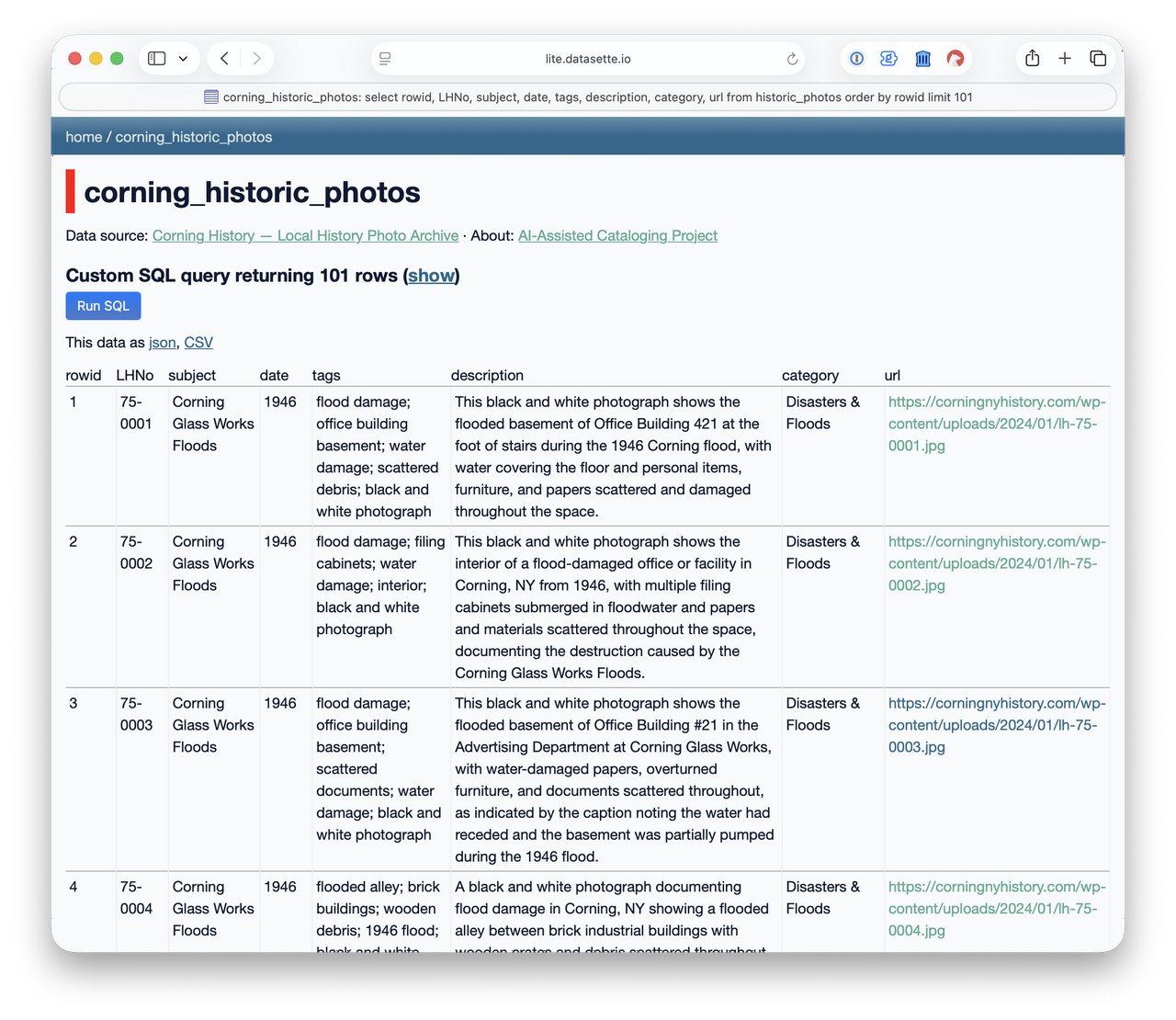
The Corning Library had published the photos on a static webpage with a link to an Excel file that contained the metadata of title, year, and filename. I thought it would be a let down to have all this new, much richer data but not have it be any more easily searchable than it already was. So I set about building a friendly search mechanism.
I’m familiar with Datasette by Simon Willison, an open-source tool for exploring and publishing datasets, and have used it locally on a few occasions to easily sort through my own data. I also knew it was capable of building webpages that could be shared on the internet but had never published anything with it before. So, I watched a few videos on the Datasette site and read the documentation. I was discouraged to learn that publishing to the cloud might cost me additional funds and was about to try an find a different route when I stumbled into Datasette Lite.
The Lite version of the product allowed me to build a link that could run Datasette locally in the user’s browser and load the data from a Github repository. As I was already using a Github repository to keep track of my project, loading the database from there was a no-brainer.
I followed the instructions to build the URL and, on my first attempt, I had a searchable database of the archive on the internet! I’m not gonna lie, I was giddy at this point. Anyone could now easily search the data.
Reviewing the Results
Great! So I had a searchable database of all the Corning files. It was time to see what secrets this treasure trove held. Being able to zero in on interesting-to-me topics really made the history these photos represent come to life. Below are a few of my favorites.
Local History
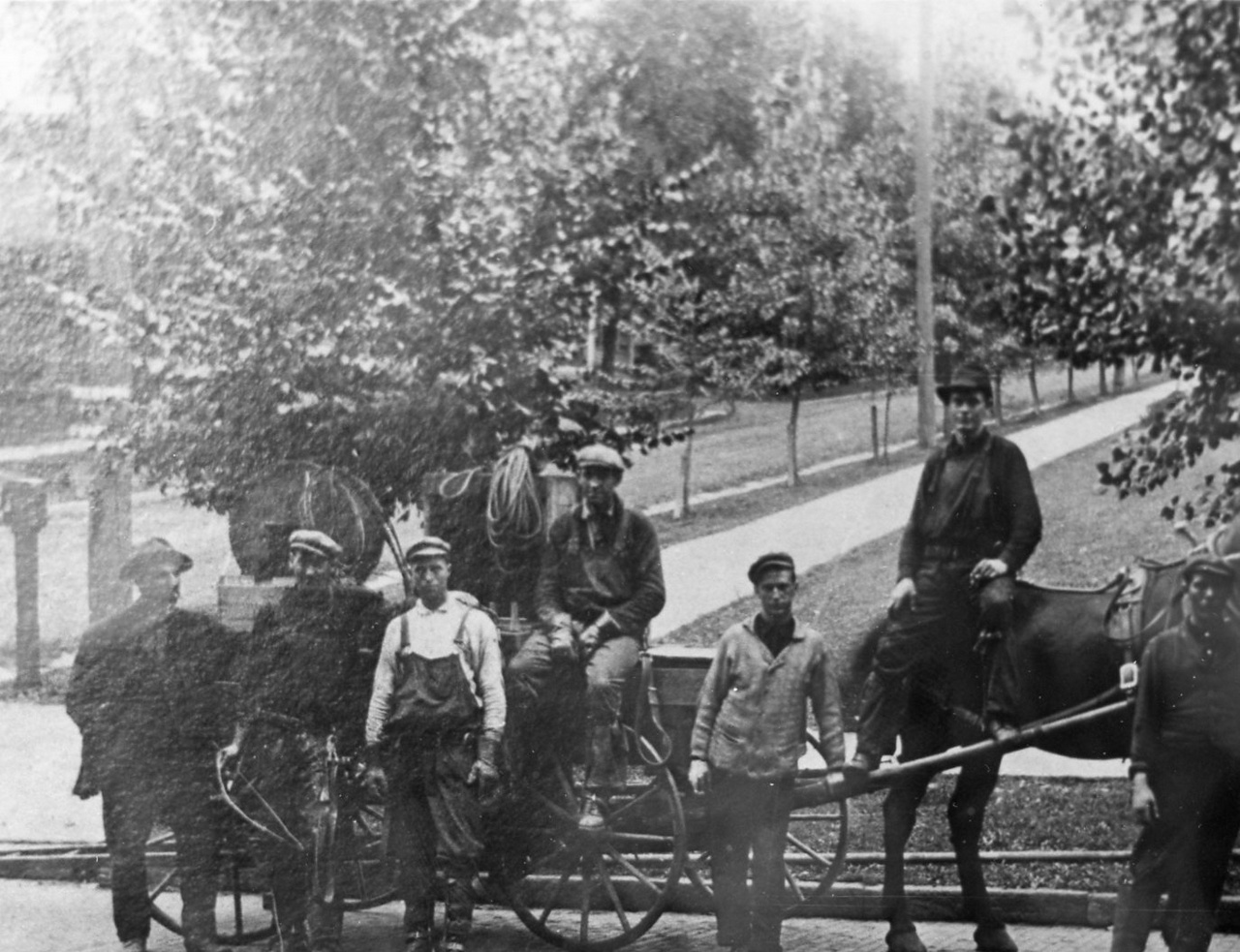
LH-75-1011 shows electric utility workers with a horse drawn carriage. This photo interests me because of the cognitive dissonance created by seeing a “modern” service tied to something I consider antiquated: horse drawn carriages. Of course, for 1911, this makes complete sense. Electric service began rolling out really only about a decade before and motorized vehicles were not yet common (at least by today’s standards).
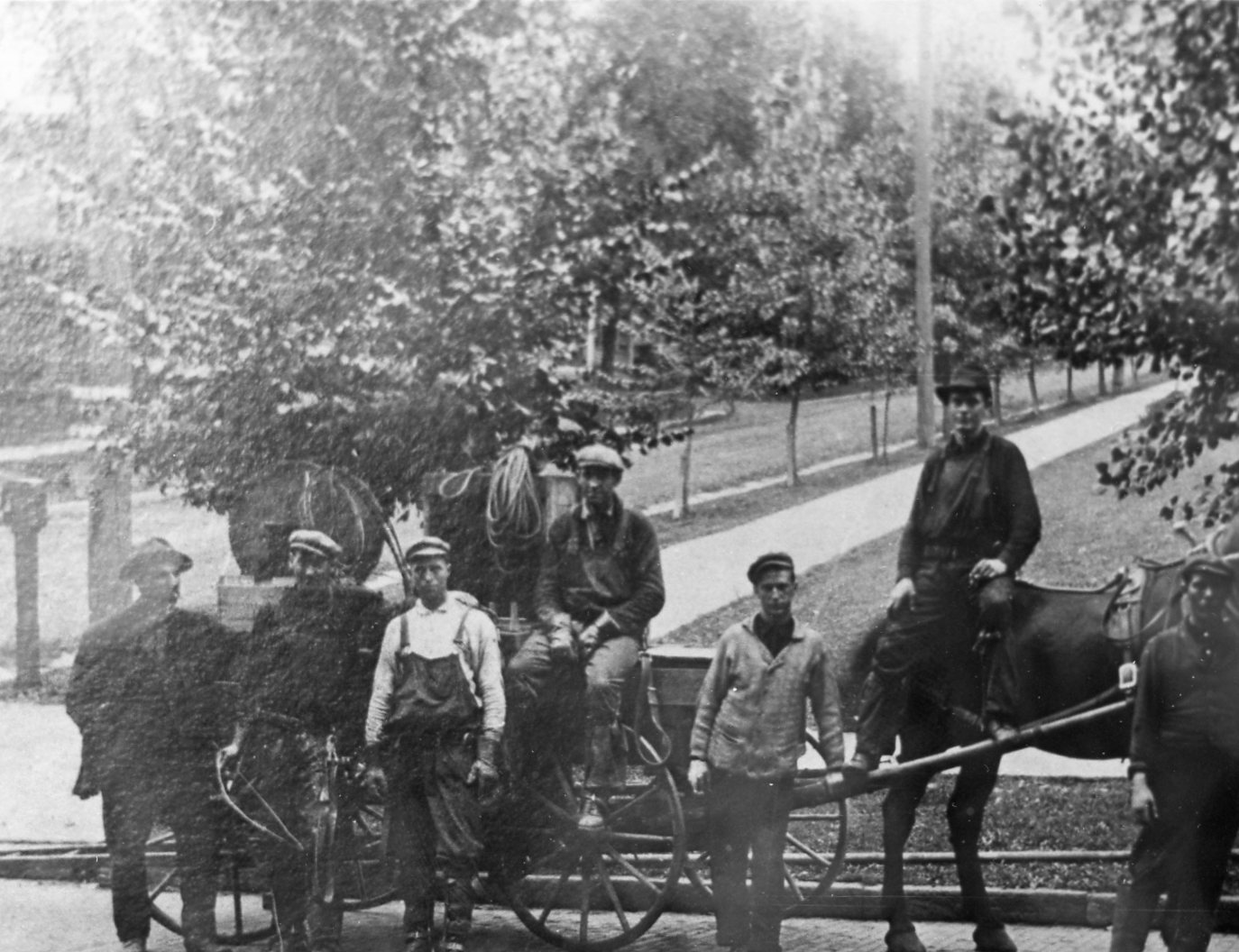
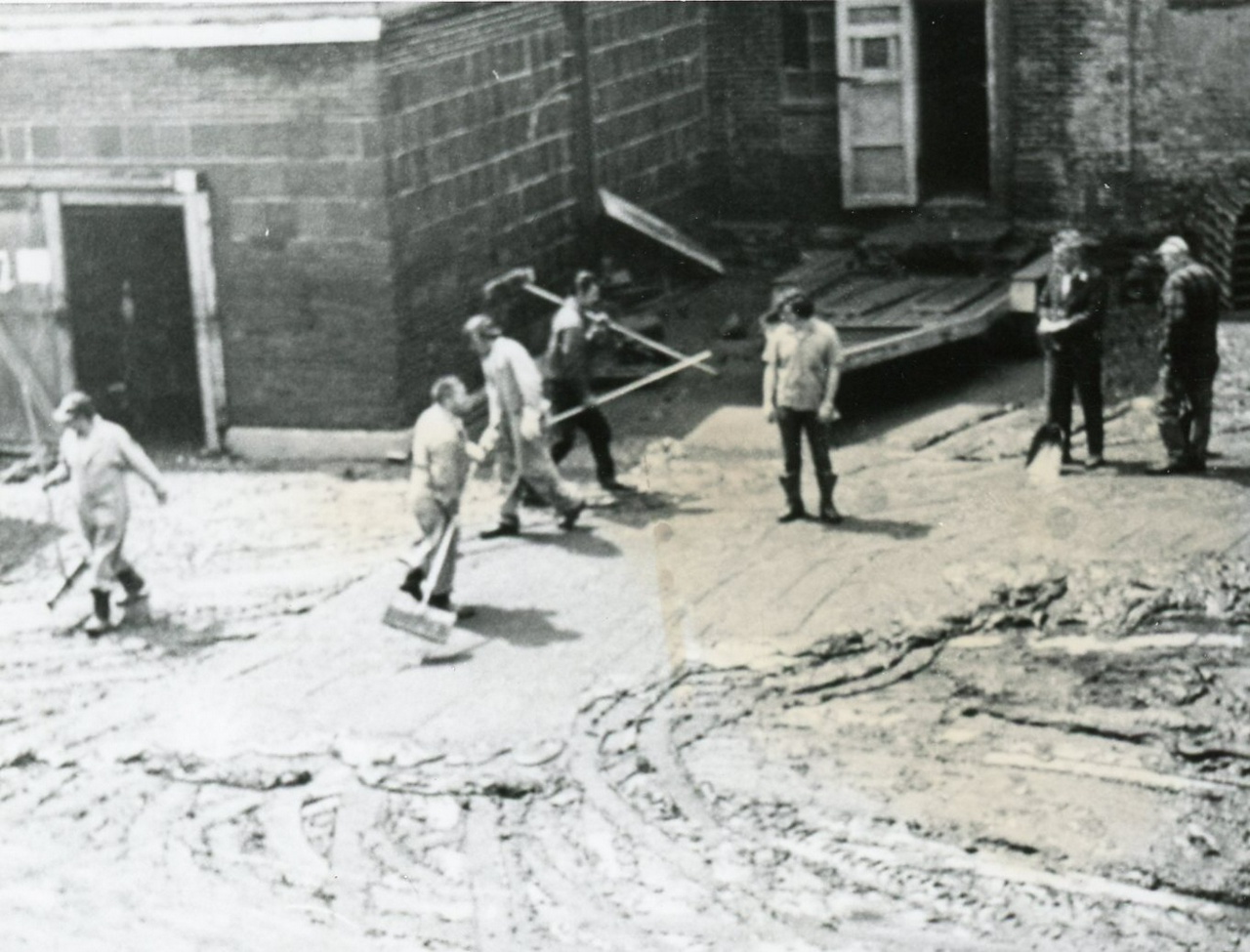
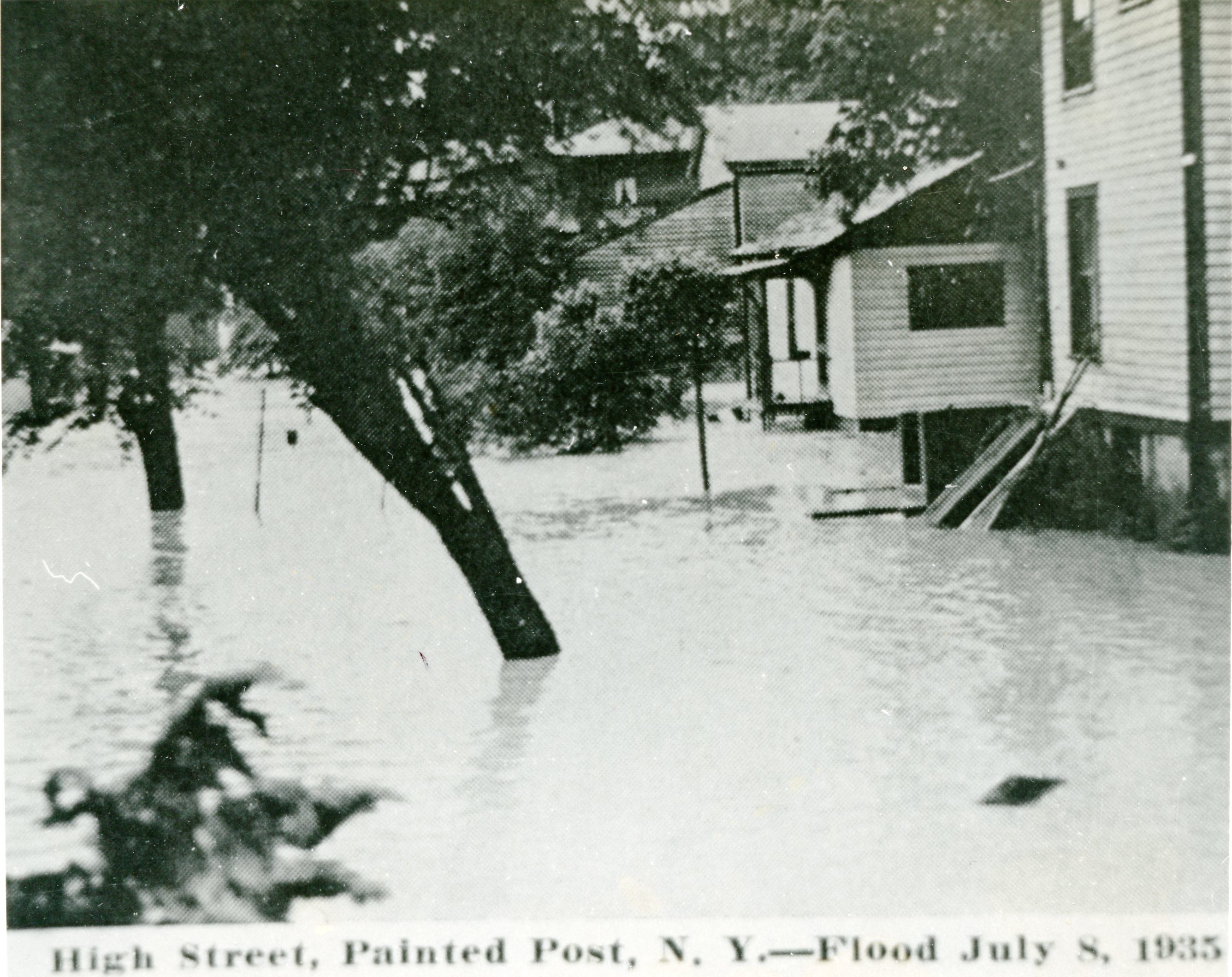
The Chemung River flows through Corning dividing the small city into northern and southern districts. Before the Army Corps of Engineers intervened in the 1970s, the river overflowed its banks many times, requiring significant cleanup in Corning and nearby towns. LH-75-0334 shows workers cleaning up after the 1972 flood. LH-75-0012 shows flooded streets in Painted Post, which is just west of Corning, in 1935.

American Airlines NC 25663
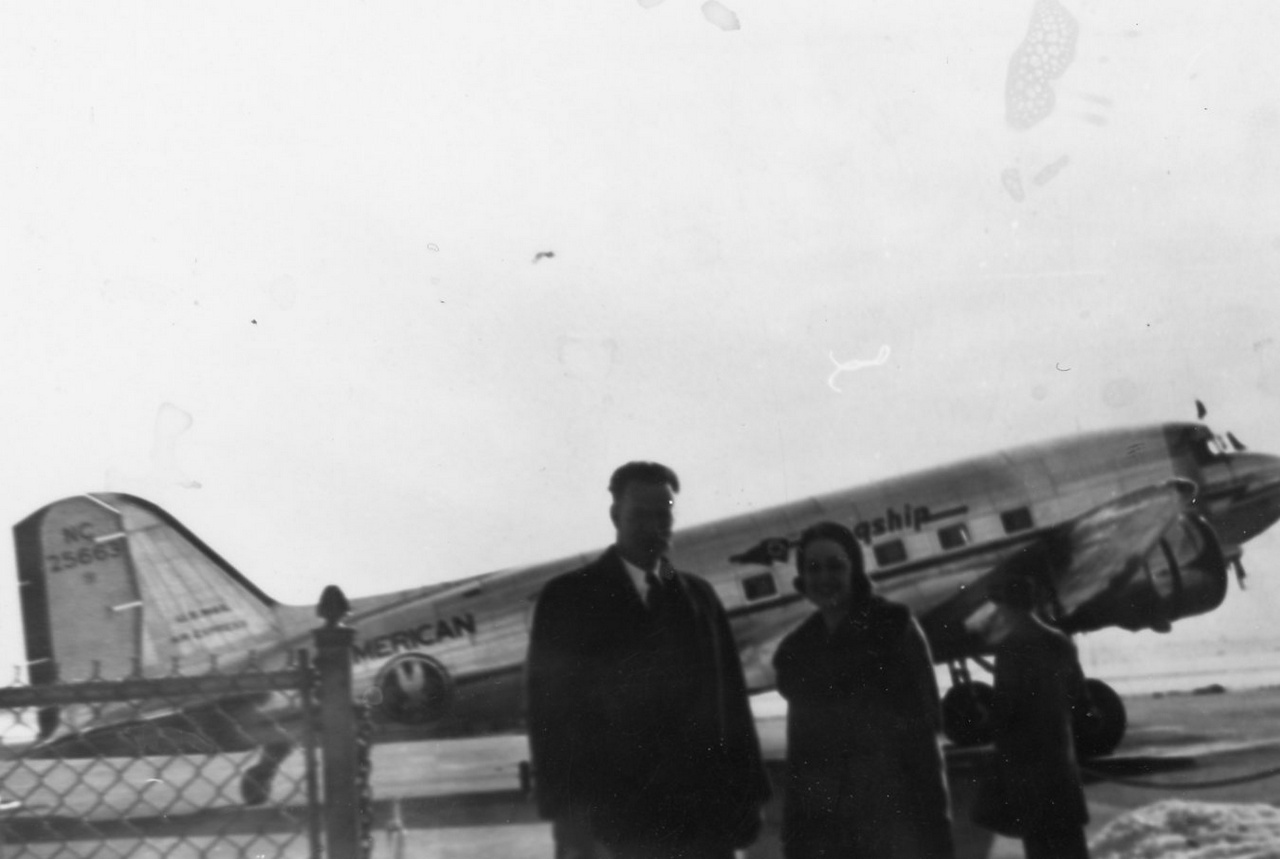
One of the most intriguing images was LH-75-0793. This image shows an American Arlines aircraft with tail number NC 25663. After seeing the tail number, I decided to look up the aircraft to learn more about it. A year after this photo was taken an accident occurred when the plane was en route to Detroit. From the Aviation Safety Network,

An accident involving aircraft NC 25663, while operating in scheduled air carrier service as Flight 1 of American Airlines, Inc. (hereinafter referred to as “American”), occurred; in the vicinity of St. Thomas, Ontario, Canada, on October 30th 1941, at approximately 10:10 p.m. (EST), resulting in destruction of the airplane and fatal injuries to the crew of 3 and the 17 passengers on board.
The accident report goes on to describe several eye witness reports of the aircraft rising and descending as though on a “rollercoaster” and making several circles before finally crashing. Sadly, the report was not able to pinpoint what happened other than to say it did not suspect pilot error.
Thinking back to the photo from the Corning archive and knowing that particular plane would crash the following year made me feel as though I was looking into the future even though everything in front of me was from the distant past.
Next Steps
So what’s next? First, I intend to share my work with the Corning Library so that others might benefit from the additional searchability. Second, you may recall that there are still some minor errors, mostly overly generic descriptions or misidentified objects, in the AI generated data and I want to clean that up. Third, I’d really like to try and find geographic locations for these photos. This third task will be difficult I suspect and I’m not sure how I will proceed. The value of knowing where these photos were taken though is pretty high so it’s worth my time to at least consider.
Lastly, I am sharing not just what I’ve done but also how I’ve done it in the hope that it inspires others to use new tools to reveal and share their own local treasures. This project is my first contribution to the digital humanities and I think it won’t be my last. There are many small towns and each one, I suspect, has archives like the one my spouse discovered. Leveraging the tools and approach I’ve outlined here could help us preserve history that’s at risk of being left behind as technology leaps forward.
Technical Notes
- For those who are interested in reading all the nerdy details including the python code, databases, workflows, etc., you can view my full GitHub repository here.
- While I was initially working through Claude Code directly in my terminal, I switched over to accessing the models via OpenRouter in a python script. More details on open router are available on their website.
- My total costs for using Claude Haiku 4.5 via OpenRouter for this project was $8.33 USD.