My Photos Finally Have Descriptions, Thanks to an Agentic Assistant
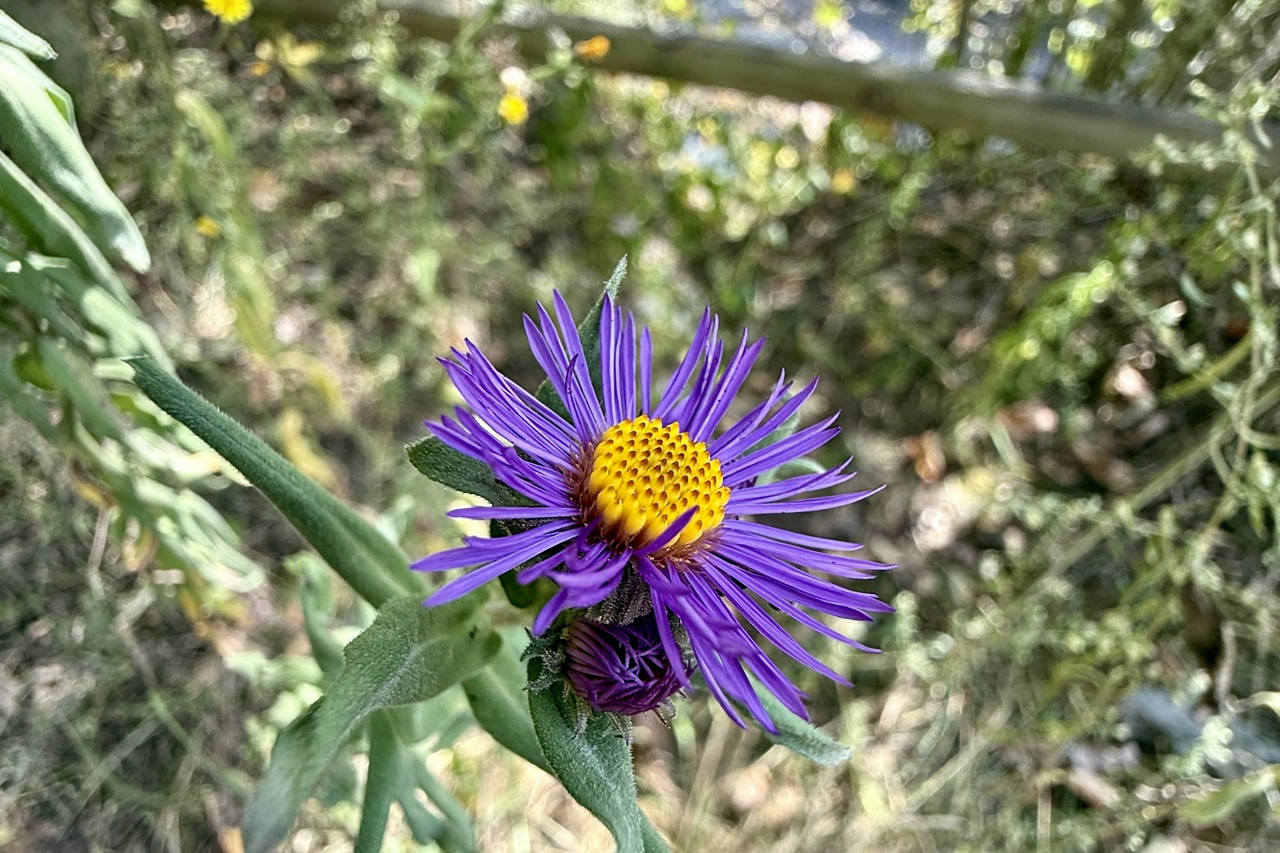
Claude’s Summary: Purple aster wildflower with yellow center in natural woodland setting with wooden fence. Location: Letchworth State Park, NY. Keywords: Letchworth, wildflower, aster, purple flower, nature, macro, botanical, trail
Like most partners and fathers, I have a LOT of pictures of my family, my dog, places I visit, curiosities I notice, and so on. In fact, given that I have a camera in my pocket pretty much every waking moment there are very few days when I don't capture something. I'm also pretty good at sharing photos, marking favorites, and occasionally getting rid of the cruft. My problem is, I still have a lot of photos I don't want to lose and that I can't always find again.
Local AM/ML models have gotten pretty good allowing folks to search their devices for photos but those models build proprietary databases that don't follow the pictures when you copy or share photos. This means that when I back up my photos to the cloud, I lose a lot of the search capabilities that I have when my photos are on device. What I needed was a way to attach some of that metadata to the photo itself so that no matter where the photo resided, I could perform searches to find what I was looking for.
Part of this problem is already solved. Many image formats have EXIF data storage built in as part of their file format. EXIF stands for Exchangeable Image File Format and is a standard for storing metadata within digital image files. This metadata includes things like gps coordinates of where a photo was taken (if the camera supports gps), date created, camera settings, and a description field.
By default, the description field is usually empty or contains only very basic image information. What I wanted to do was write in a description of the image along with some keywords into that EXIF description field and, since most operating systems support searching those parts of an image, I would have a way to find my photos no matter what device they are sitting on.
The second part of the problem was much hairier; namely, I have to get the description into that field in the first place. Of course, I could individually describe each image and put that description in the EXIF field BUT that would take ages since I have thousands of images. With the release of Claude Cowork, it dawned on me that this second issue might be resolved. I decided to run an experiment to see if I could ask the newly released agentic tool to look at each photo, write up a description along with some keywords and write that data to the EXIF description field.
Step one, I copied my photos into a folder that I would give Claude access to. Notice that I wrote copied and not moved. It's important to note that the robot can make irreversible errors so NEVER give it your originals. (Also, you have backups right?) Step two, I prompted Claude with the following, “Evaluate all the images in the folder and generate a brief description for each. The description should include keywords that would make the image easy to find later with simple keyword searches. Add the description for each image to its EXIF data. Let me know if you have any questions.” Step three, profit! Well.... almost.
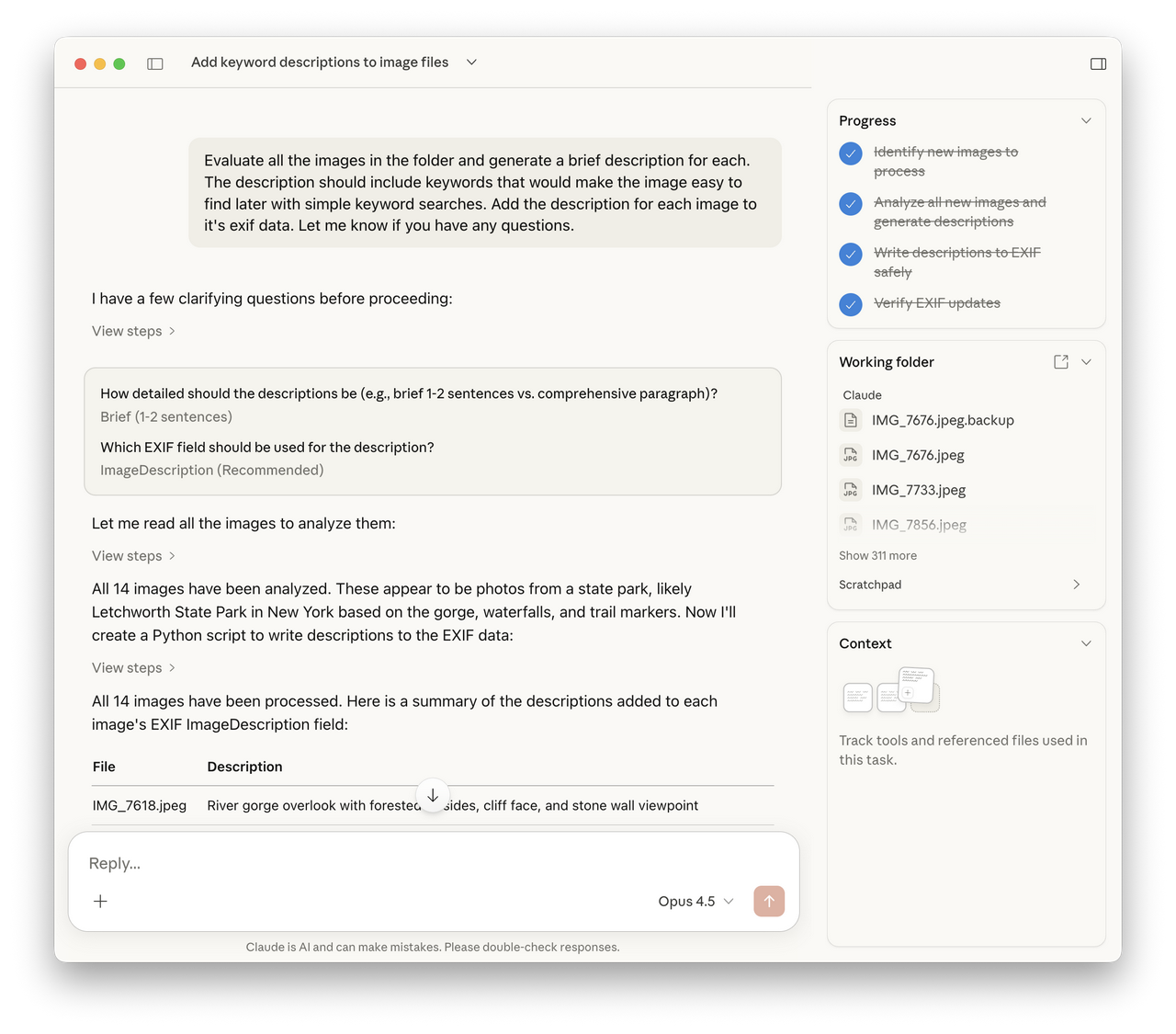
The first run-through, Claude asked a couple of questions and then went on to generate some very good descriptions. Then, in an attempt to update the EXIF data it completely corrupted the images so that they were no longer readable as images. The files were lost. OK... thank goodness I follow my own advice.
On the second run, I cleared out the junk images that Claude messed up and copied the originals back into the working folder. I then gave it this helpful prompt , “I've restored the original images. Please update the exif data with the location and description from before. Take care not to corrupt the file.” That's right, I basically told it not to do that again. It made some backups of the files on it's own this time then went to work improving its EXIF writing skills. And finally... it worked!
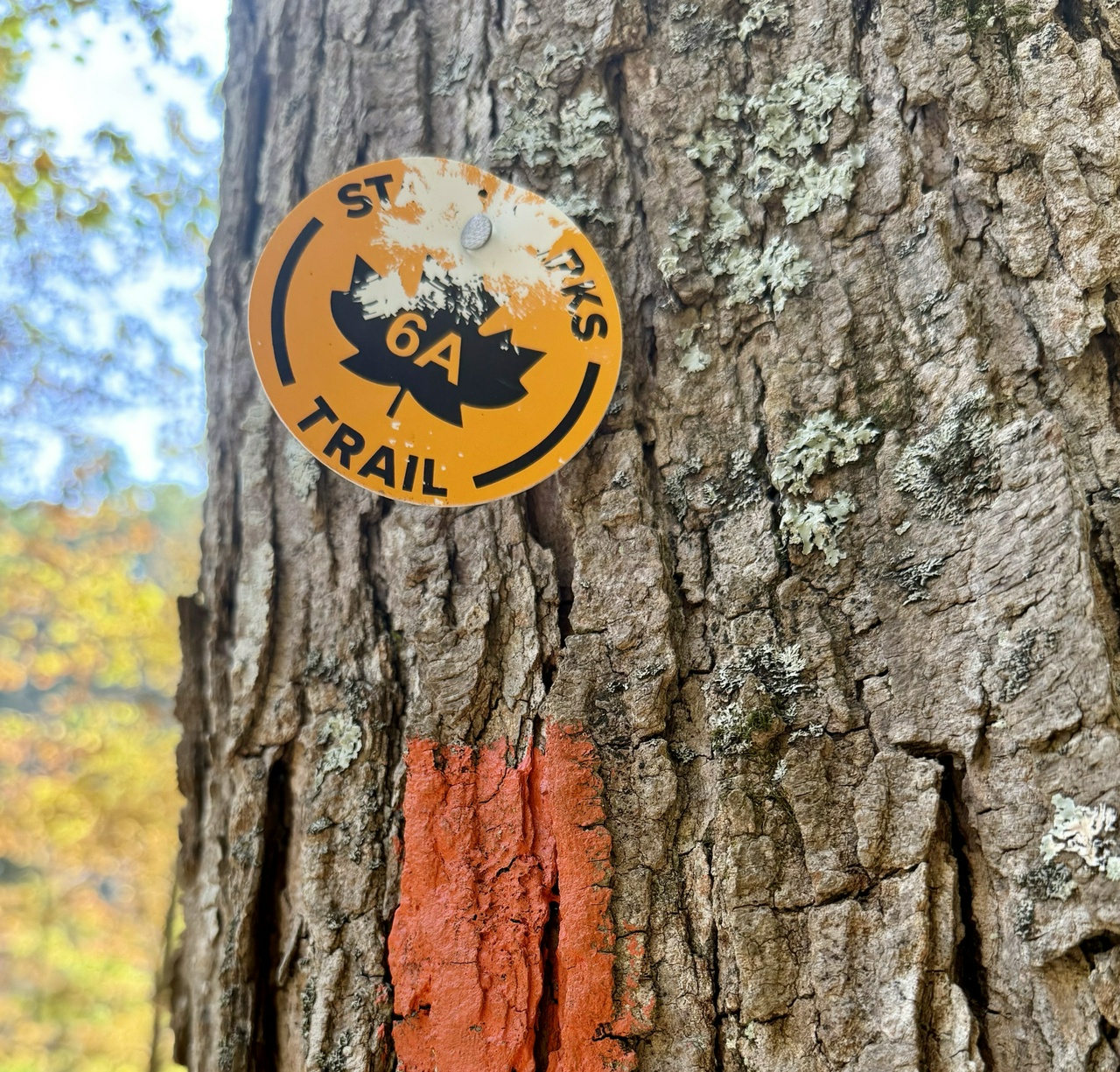
Claude’s Summary: State Parks trail marker sign on tree trunk with orange blaze marking hiking path. Location: Letchworth State Park, NY. Keywords: Letchworth, trail marker, hiking, state park, sign, trail blaze, navigation, outdoors
Giddy with success, I decided to try it on a small set of images that were part of prior backups. It took about an hour to get through about 300 photos I had from 2010. While this might seem slow to some, it is light years faster than I could ever do this by hand. And, the descriptions and keywords were much more robust than what I likely would have written. As you can see from some of the examples above, Claude did a pretty good job. Additionally, I'm already thinking about how this workflow could be tweaked to support other types of file metadata like for RAW images, or PDF summaries.
From my point of view, these new agentic desktop tools are worth playing around with as long as you take the necessary precautions. I plan to keep testing these tools and will report back with my experiences.